

How To Upgrade Your Office Desk With a Custom Grommet
How To Upgrade Your Office Desk With a Custom Grommet

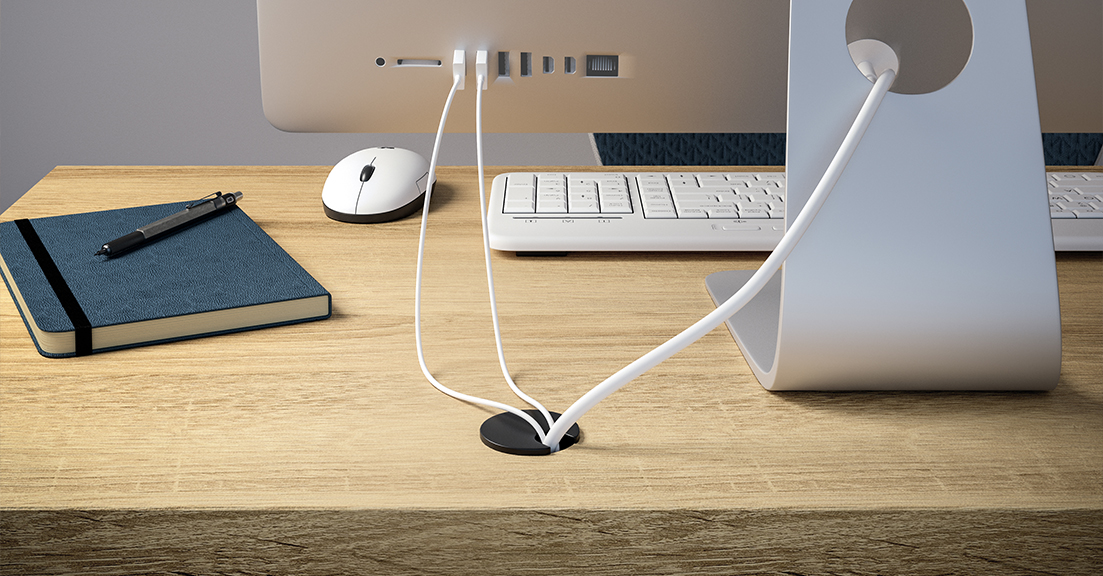
How To Upgrade Your Office Desk With a
Custom Grommet
Your office desk should be more than just a place to work; it should enhance your productivity and comfort. Custom grommets improve workspaces by managing cables, adding convenient features, and blending seamlessly into your desk's design. Explore how to upgrade your office desk with a custom grommet.
Choose a Shape
Desk grommets come in various shapes, including round, oval, square, and rectangular. Round grommets are the most
common, offering a universal fit for standard desk holes and simple cable organization. On the other hand, square or
rectangular grommets provide a modern aesthetic and extra space for accommodating multiple cords or plugs.
Choosing the right shape depends on your desk layout and personal needs. A round grommet works well for traditional
desks with fewer wires, while oval or rectangular grommets are ideal for modern setups with larger holes or thicker
cables.
Get the Right Size and Fit
The grommet should fit your desk perfectly, so take the time to measure the diameter of the hole in your desk before
making a purchase. A snug fit keeps the grommet in place and prevents it from moving or shifting during daily use,
especially when managing multiple cables.
If your desk doesn’t have pre-drilled holes, you’ll need to create them. Be sure to select a grommet size that works
with both your desk material and your specific cable management needs. Desk grommets typically range in diameter
from 3/4 inch to 4 inches. Smaller grommet sizes are ideal for smaller desks and fewer cables, while larger sizes
are used on larger desks or when managing multiple cables and wires.
Place the Opening
To find the best spot for a grommet opening on your desk, think about where your devices and cables will be. Placing
the grommet near the back edge of the desk works well, as it keeps cables tidy and your workspace uncluttered. Avoid
areas where your hands or arms often rest.
Compare Materials
The material of your grommet can significantly impact its durability and aesthetic appeal. High-quality options
include metal, rubber, or robust plastic. Metal grommets, for instance, offer a sleek, modern look and superior
longevity, while rubber provides flexibility for fitting larger or irregularly shaped cables.
Finishes like brushed silver, matte black, or polished chrome can add a layer of sophistication to your desk.
Additionally, look for sturdy construction, smooth edges, and reinforced features like thick rubber inserts or
secure fittings.
Check for Cable Management Features
One of the key benefits of a custom grommet is its ability to reduce clutter. Many grommets feature built-in cable
guides or covers. These tools keep wires in place, ensuring they don’t tangle or spread across your desk, creating a
clean and organized workspace.
Here are some available desk grommet features that enhance cable management:
• Textured or grooved interiors for better cable grip and management
• Rotating tops for adjusting cable positions without tangling
• Expandable or flexible openings to accommodate various cord diameters
• Built-in hooks or notches to guide cables and prevent excessive movement
• Weighted or reinforced bases for extra stability in larger desk holes
Look at Additional Functionality
Beyond basic cable management, custom grommets can upgrade your office with features that enhance your desk’s
functionality. Some options include USB ports, power outlets, and built-in wireless charging pads. These features
bring added convenience, eliminating the need for additional devices cluttering your desk.
Grommets that include power outlets allow you to plug in devices directly at your desk without reaching for wall
outlets. These are perfect for powering laptops, desk lamps, or other essential devices while keeping cables neatly
managed.
Pop-Up Designs for a Clean Aesthetic
Pop-up grommets offer a modern touch to your desk with a design that stays flush with the surface when not in use.
With a gentle push on the grommet, pop-up electrical
outlets open or rise to provide access to power outlets. This keeps your workspace clutter-free and ensures a
sleek, professional look. Ideal for those who value both functionality and style, these pop-up solutions make
accessing power effortless while maximizing desk space.
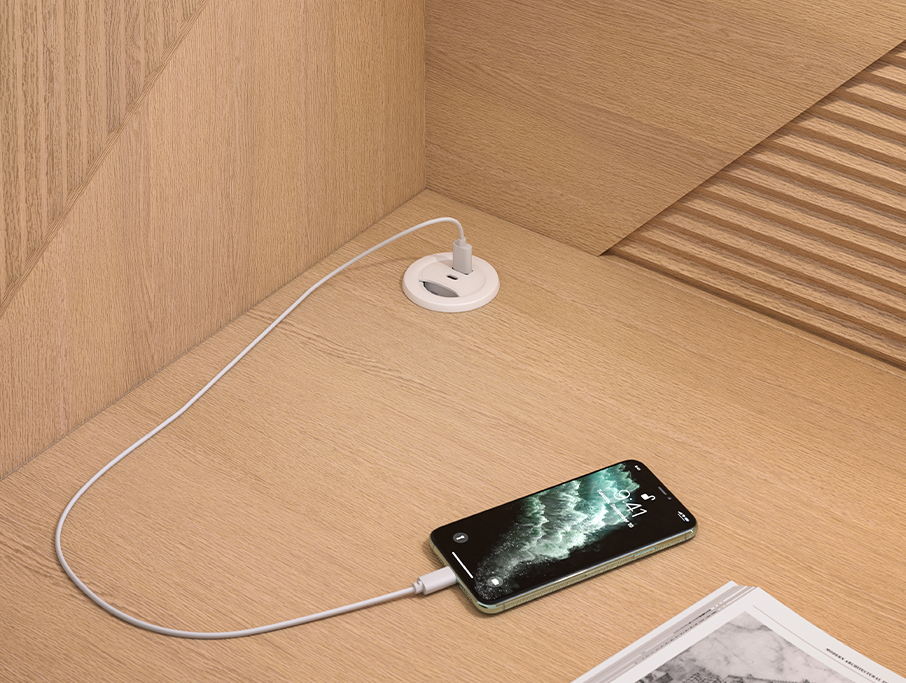
Integrated USB-A and USB-C Ports
Having USB-A and USB-C ports in your desk grommets ensures convenient power and connectivity right at your workspace
without the need for additional hubs or adapters. USB-A is the older, rectangular design, while USB-C is smaller,
reversible, and capable of faster charging and data transfer. If you use tablets or phones with USB-C or still rely
on USB-A gadgets, integrating both options into your desk grommets offers maximum compatibility and efficiency.
Think About Future Needs
It’s worth considering how your needs may change over time. Choose a versatile grommet with enough ports or capacity
to accommodate additional cables or devices in the future. A forward-thinking approach ensures your desk evolves
with your workflow, saving you the hassle of future upgrades.
Selecting a durable, adaptable grommet will allow your workspace to stay functional through career changes, tech
upgrades, or a new office setup. This long-term perspective can make a big difference in the overall utility of your
workspace.
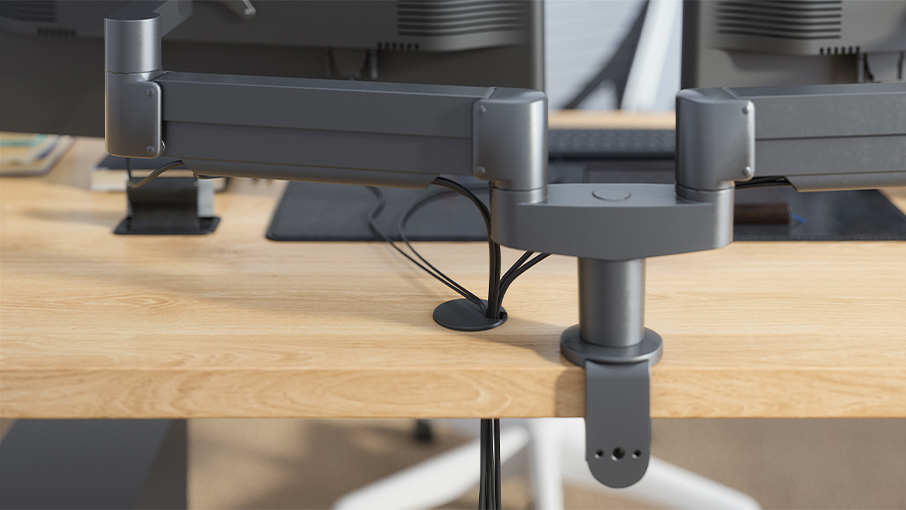
Ergonomic Wire Management
Choosing the right grommet can greatly enhance an ergonomic setup by keeping cables organized and out of the way.
For adjustable monitor arms, grommets allow cords to move freely without getting tangled, ensuring smooth height and
angle adjustments for optimal posture. Standing desks also benefit, as grommets prevent cables from stretching or
snagging when transitioning between sitting and standing positions. With proper cable routing, these ergonomic
features become more functional and hassle-free, promoting a comfortable and efficient workspace.
Clean
Regular upkeep is key to keeping your grommet and desktop area looking polished and functioning properly. Over time,
dust and debris can collect around cables or within the grommet itself. Use a soft cloth or small vacuum attachment
to clean these areas, maintaining a neat and professional workspace.
Brush grommets are designed with soft bristles that keep cables organized while preventing small items like pens or
paper clips from slipping through. The bristles maintain a tidy workspace and protect your belongings from getting
lost beneath your desk.
A thoughtfully chosen grommet can transform your desk by providing better cable management, reducing distractions,
and enhancing your workflow. Built-in features like charging ports and pop-up outlets combine convenience with
style, making your setup more functional. Durable materials and versatile designs cater to the evolving needs of any
workspace. These benefits show how a custom grommet maintains comfort, efficiency, and a polished appearance.