

How To Upgrade an Old Desk With Modern Cable Management
How To Upgrade an Old Desk With Modern Cable Management

How To Upgrade an Old Desk With Modern
Cable Management
An organized workspace boosts productivity, enhances safety, and fosters an environment that embodies innovation and professionalism. Yet, desks from previous decades may struggle in today’s connectivity-driven world.
Fortunately, thoughtful cable management makes it possible to bring virtually any desk into the 21st century. Here are some helpful ways to upgrade an old desk with modern cable management and deliver the quality expected in today’s work environments.
Use Cable Sleeves for a Sleek Look
Cable sleeves offer a straightforward and cost-effective way to reduce clutter and create a visually streamlined setup. Built from durable, flexible materials such as neoprene or PET, they gather multiple cords into one tidy bundle that protects cables from abrasion and minimizes tangling.
For professionals managing installations or retrofits, adjustable cable sleeves offer a versatile solution tailored to varying needs. These sleeves easily expand or contract to accommodate everything from a few lightweight peripheral cables to the bundle behind a sophisticated workstation.
Modern options now come in a range of finishes, from simple black to subtle grays or even custom patterns, that suit any decor or corporate branding. Create a thoughtful design dedicated to quality and organization with cable sleeves.
Install Adhesive Cable Clips for Effortless Organization
Adhesive cable clips alleviate the persistent frustration of cables slipping behind desks or getting tangled beneath your workspace. These small, unobtrusive clips attach directly to surfaces and route individual cords exactly where they’re needed, whether it’s along desktop edges, beneath the surface, or vertically behind a monitor arm.
High-quality cable clips feature strong adhesive backing that won’t damage surfaces during installation or removal, making them ideal for both permanent setups and projects that require adjustments. When focusing on user satisfaction, the ability to customize cable placement and ensure long-term reliability supports innovation and the pursuit of excellence.
Add an Under-Desk Cable Tray to Conceal and Protect
When aiming for functional excellence in workspace design, under-desk cable trays are indispensable upgrades. These metal or plastic trays are discreetly mounted beneath the work surface, creating a central location to hold power strips, adapters, and wiring off the floor. Concealed cables contribute to a safer, more professional environment.
Cable trays excel in projects with multiple user stations or shared power sources. Clearing the floor of cables supports a safer office and makes cleaning more efficient. Should the work area require changes, such as adding equipment or reconfiguring furniture, the open structure of a tray ensures that cables are accessible while maintaining a tidy appearance.
Take Advantage of Cable Boxes for Superior Concealment
While under-desk trays hide cables from direct view, cable boxes provide a refined solution for managing and concealing the unsightly hub of power strips and charging bricks. These boxes, typically designed with ventilation and discrete cable entry slots, are stylish organizers that prevent dust accumulation and reduce clutter at the base of your workstation.
For designers and furniture manufacturers, cable boxes are a practical solution for maintaining a clean visual environment. By isolating and protecting electrical components inside a dedicated compartment, these boxes safeguard your investment in equipment and workspace cleanliness.
Attach a Power Strip Under the Desk for Accessibility
Many modern power strips include built-in screw holes or dedicated mounting brackets, making it simple to secure them out of sight and within easy reach. Mounting a power strip to the desk eliminates the frustration of bending down to plug or unplug devices and reduces the accumulation of dust and debris around outlets.
For designers sourcing the best options, consider power strips that integrate seamlessly into a variety of desk constructions, and don’t overlook the growing popularity of outlets that mount in tabletops. These innovative power solutions provide convenient access to electricity and data right where users need it most.
Label Your Cables To Save Time and Reduce Errors
Clear labeling of cables may seem like a minor detail, but it pays off in terms of efficiency and customer satisfaction. Utilizing cable tags or colored tape allows users or maintenance personnel to identify which cable powers which device confidently.
Labeling is especially valuable in commercial environments and multi-user offices and during rapid workstation reconfiguration. When labels are visibly attached to both cable ends, troubleshooting and replacements become seamless, reducing downtime and improving overall reliability.

Consider Grommet Installation
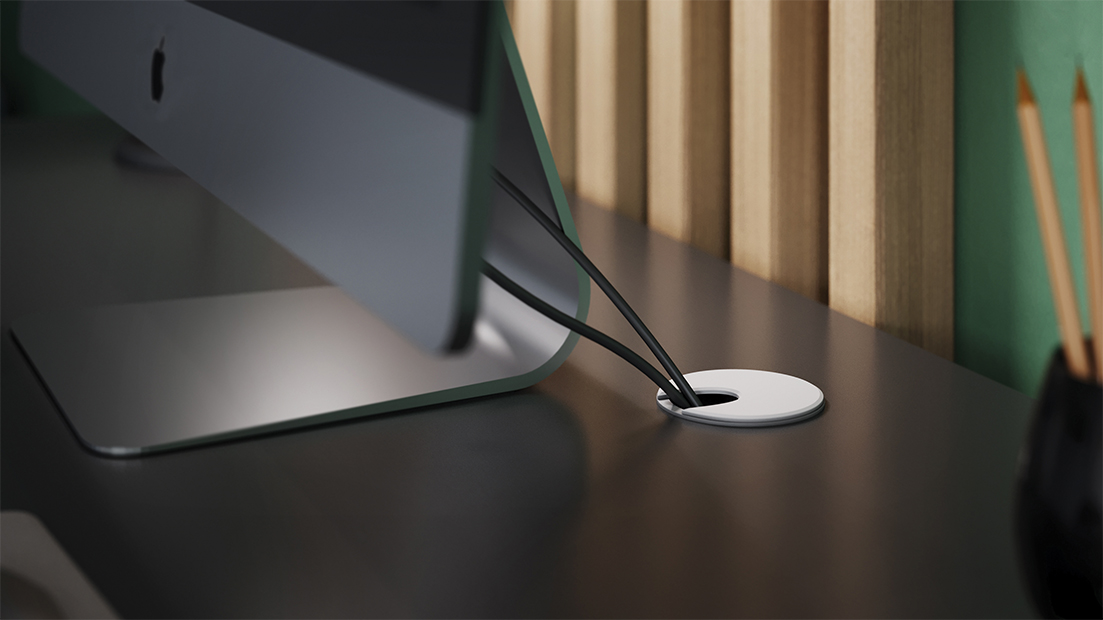
Grommets are a tried-and-true method for passing cables through the surface of a desk neatly and safely. Modern grommets often feature a cover with slots designed to align and securely hold cables, preventing them from slipping back through or creating tangles.
Many desks now come equipped with preinstalled grommets, but even older work surfaces are easy to upgrade. The process is straightforward and, when implemented correctly, offers an immediate leap in cable management and workplace aesthetics. For interior designers and furniture manufacturers, offering desks with upgraded grommet styles signals a commitment to innovation and customer experience.
Go Wireless Where Possible To Minimize Clutter
Wireless technology stands at the forefront of workspace innovation, offering a direct path to reducing cable volume. Switching to wireless keyboards, mice, headphones, and chargers can significantly declutter desks, freeing up the workspace and introducing a forward-thinking, technology-focused feel.
However, even in an environment that prioritizes wireless devices, there are often essential wires to manage. The best results come from integrating wireless solutions with the cable organization strategies outlined here. The synergy between leading-edge technology and strategic cable management creates a modern and efficient workspace.
Create a Charging Station for Streamlined Device Management
Designating an area of the desk for charging electronics is a hallmark of a thoughtfully organized environment. Modern charging stations feature integrated cable management, multi-port USB hubs, and clever compartments that keep cords organized and tucked away.
For larger projects, specifying charging docks that support multiple device types ensures no user is left juggling tangled charging cables or searching for a spare outlet. Pairing a central charging area with clear cable labeling and under-desk routes maintains access without sacrificing appearance, and it future-proofs workspaces as device demands evolve.

Secure Loose Cables With Hook-and-Loop Straps for Flexibility
Hook-and-loop straps are essential, user-friendly tools for taming excess cable lengths and preventing irritating tangles. Their reusable nature allows them to be adjusted or reused as device configurations change, supporting long-term adaptability in any setting.
Furniture manufacturers and project managers alike appreciate hook-and-loop ties for their reliability in larger projects, where desk configurations are frequently modified. They create a clean, modular cable setup that’s easy to maintain and adjust.
Investing the time and care to upgrade an old desk with modern cable management pays off in long-term functionality, safety, and workplace satisfaction. Each of these strategies, whether implemented alone or in combination, contributes to a workspace that fosters productivity and reflects a culture of innovation.
Take the next step in workspace transformation, and explore the possibilities that modern cable management brings. Your commitment to detail will be noticed in every project, enhancing environments and reinforcing the values of service, design, and continuous improvement.