

Grommet Placement: Where To Drill the Hole in Your Desk
Grommet Placement: Where To Drill the Hole in Your Desk

Grommet Placement: Where To Drill the
Hole in Your Desk
Messy workspaces with tangled cables can make it hard to stay focused and productive. Desk grommets offer a simple fix, helping you tidy up cords and create a more organized setup. Not only do they improve functionality, but they also make your workspace look more professional. Explore important tips for grommet placement and where to drill the hole in your desk.
Understanding Desk Grommets
Desk grommets are circular inserts that are often installed into desks to route cables and wires. They are commonly made of plastic, rubber, or metal and come in various sizes to accommodate different setups. By channeling cords through these nifty openings, you can hide unsightly cables and streamline your workspace for better efficiency. Grommets also protect the cords from fraying.
Here are some types of desk grommets and their benefits:
• Plastic grommets: Lightweight and budget-friendly, ideal for basic cable management needs.
• Metal grommets: Durable and sleek, often chosen for their modern aesthetic and sturdiness.
• Rubber grommets: Flexible and versatile, providing a soft grip for protecting cables.
• Adjustable grommets: Feature customizable openings to accommodate varying cable sizes.
• Power grommets: Include built-in electrical outlets or USB ports for added functionality.
• Brush grommets: Equipped with bristle-like features to allow multiple cords to pass through while maintaining a neat appearance.
Grommet Sizing Tips
When choosing a grommet size, start by measuring the number and thickness of the cables you’ll be running through it. If you have a multi-device setup with thicker or multiple cords, opt for a larger grommet to avoid crowding. For smaller setups with fewer cables, a compact grommet will do the job without taking up too much space. Make sure to also consider the size of the desk area available so the grommet fits neatly without disrupting the work surface.
Back Center of the Desk
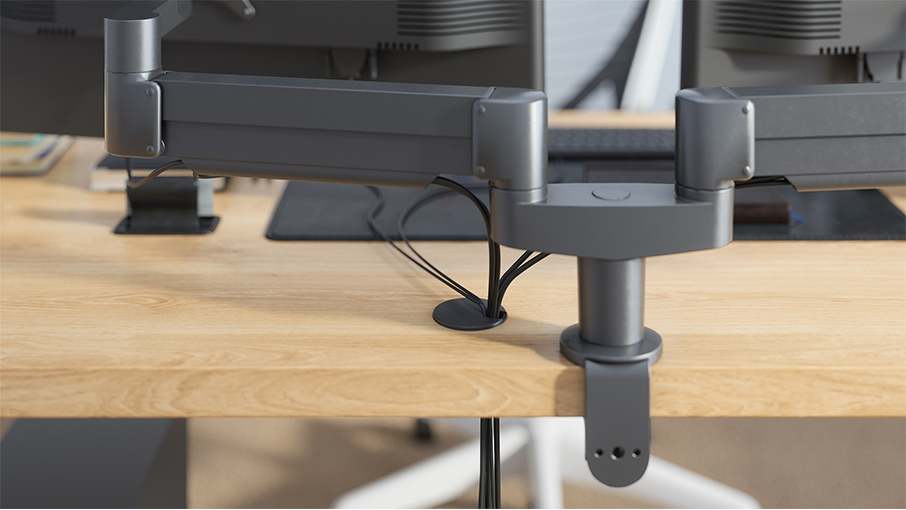
Placing the grommet in the back center of the desk is one of the most common and efficient choices. This location is perfect for managing cables that run to monitors, docking stations, or other devices that sit at the back of your desk. It keeps wires hidden behind the desk, giving your setup a clean, professional appearance.
This position also makes it easier to channel multiple cables in a single direction, reducing clutter behind your monitor or desk. If you often switch out devices or rearrange your workspace, a grommet in the back center provides accessible and flexible cable management.
Back Corners of the Desk
Grommet holes in the back corners of a desk are particularly useful for those who have lamps, portable chargers, or speakers positioned on those sides. This placement allows the wires to drop straight down to the power source without running across your desk.
Back corners are particularly helpful if you have a multi-device setup where different cords are needed on opposite sides of the desk. This placement gives you a streamlined way to separate wires, keeping everything organized and tangle-free.
Front Corners of the Desk
Front corner grommet placements are ideal for desk-mounted microphones, phone chargers, or any other device you use frequently and require easy access to. This location keeps the wires close while staying neatly out of your immediate workspace.
This placement is also great for content creators or podcasters who need to connect their equipment without letting cables snake across their desk. However, placing grommets in the front corners may not be ideal for desks with limited surface area, as it could encroach on your primary workspace.
Side Edges Near the Back
Installing grommets on the side edges near the back of the desk is another practical option. This location works well for devices positioned on side tables or for routing power strip cords to the wall outlet. It keeps wires running along the edges rather than cutting through your workspace.
Side-edge grommets are especially handy for desks positioned in corners or tight spaces, where wires might otherwise get cramped or tangled. This strategic placement provides a neat and efficient solution for managing peripheral cables.
Drilling Tips
Before you begin drilling grommet holes, measure and mark the exact spot where you want the hole. Double-check the placement against your device setup to ensure the cables will reach comfortably.
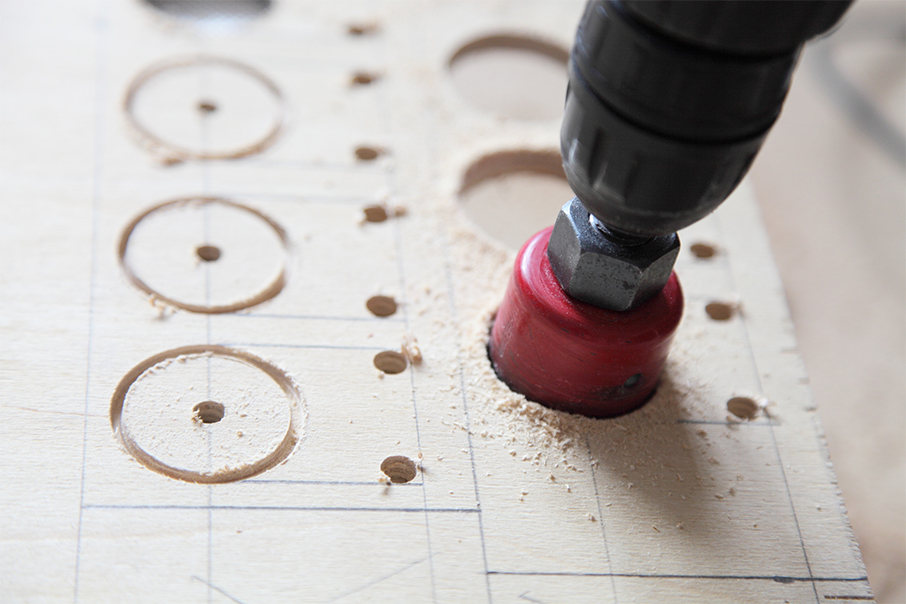
For circular grommets, use a hole saw drill bit that corresponds to the size of your grommet for a snug fit. Start with a slow drilling speed to prevent splintering and always drill from the top of the desk downward for a cleaner finish. If you're working with a veneer or laminate surface, use painter’s tape over the drilling area.
Other Places for Workspace Grommets
Grommets aren’t just for desks; they’re also great for managing cords in cabinets or shelving units. If you have a charging station or electronic devices stored on shelves, a grommet can guide cables toward power outlets without them dangling messily outside. This setup is perfect for keeping things tidy in shared office spaces or home offices with limited room. Grommets in the back of cabinets hide device wires completely while still providing convenient access.
Another spot where grommets shine is in conference tables or shared workstations. Adding grommets to these surfaces provides a streamlined way to route power cables, HDMI cords, or Ethernet connections for team meetings or presentations. Plus, grommets with built-in power ports or USB outlets can make shared workspaces more functional and convenient for everyone.
Making Your Grommet Look Good
While grommets make workspaces look better by improving cable management, they can also make desks more stylish. To give your workspace a polished feel, pick a grommet that complements your desk’s design. For instance, brass desk grommets can add a classy touch, especially if you have a wooden or modern desk. Make sure the grommet’s color and finish either blend in or stand out in a way that looks intentional with your desk and accessories.
Once the grommet is installed, keeping the area around it tidy is key to a clean look. Use cable ties or sleeves to group cords together neatly as they pass through the grommet. Small details like these can make your workspace look more organized and stylish.
The best place to drill a hole for your desk grommet depends on which devices you use and where they’re positioned. Whether you choose the back center for monitors, back corners for lamps, side edges for power strips, or even front corners for microphones, each placement has specific benefits. Choosing the right spot keeps your workspace tidy, prevents cable chaos, and improves functionality. Use these tips to create a clean, stylish, and productive work area.