

How To Choose the Right Desk Grommet for Your Workspace
How To Choose the Right Desk Grommet for Your Workspace

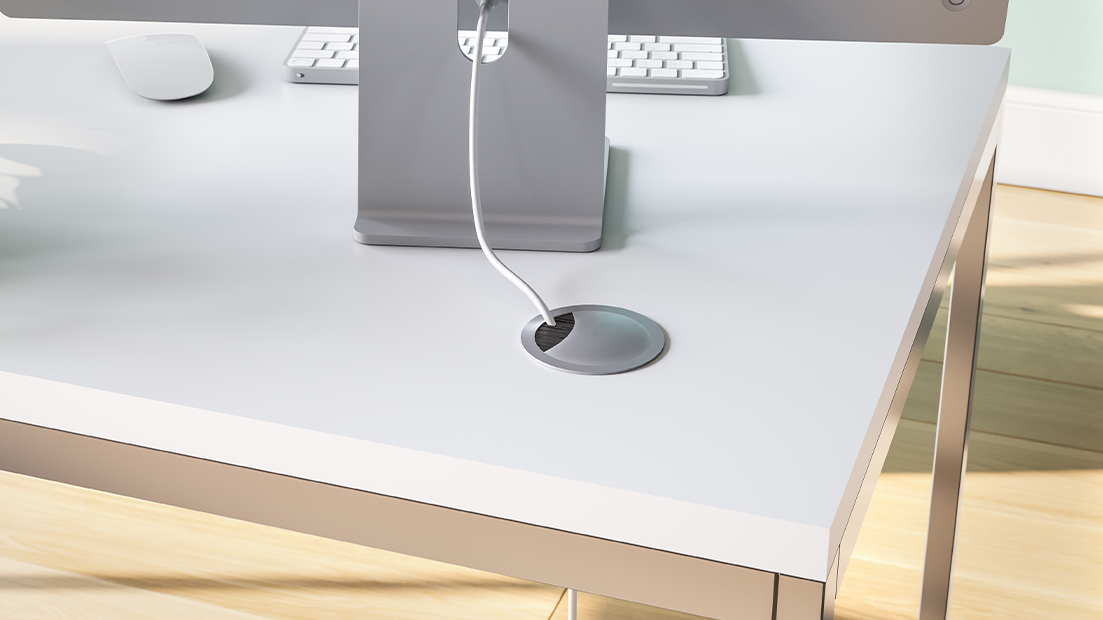
How To Choose the Right Desk
Grommet for Your Workspace
Creating a clutter-free, tech-ready workspace starts with smart design choices, and one of the most overlooked yet crucial elements is the humble desk grommet. These components organize wires, prevent tangles, and keep offices safer and more efficient. Whether you’re plugging in multiple devices in a conference room or managing a few cords, here’s how to choose the right desk grommet for your workspace.
Determine Grommet Placement
Installing desk grommets in convenient places keeps cables tidy and accessible, which reduces clutter and improves safety around your desk. Proper placement also plays a big role in maintaining a clean, professional workspace appearance.
Follow these tips to install your desk grommet in a place that works for your setup:
• Position grommets near the back edges of your desk to route computer and monitor cables without interfering with your work area.
• Add side grommets to manage cords for mounted monitors, desk lamps, or other devices that aren’t at the back.
• For standing desks, include grommets where cables can move seamlessly between different desk heights without tangling.
• If you have multiple monitors or a lot of tech devices, consider placing several grommets to divide cables efficiently across your desk.
Pro Tip: Consider Grommets for Other Surfaces
If you’re designing a new office or renovating an office space, think about installing grommets in other areas to complement your desk setup. Floor grommets, for instance, manage cords from desks to outlets, keeping pathways clear and safe. Wall-mounted grommets work well for routing cables between mounted monitors and outlets or for creating a seamless transition between different work zones. Adding grommets in cabinets or shelves can also enhance your workspace by keeping cables from printers, Wi-Fi routers, or other equipment neatly organized and hidden.

Decide on Cap Features
Desk grommets have two primary parts: the grommet cap and the liner. The liner fits into the desk hole and creates a smooth opening for wires to pass through. The cap sits on top of the opening and typically has a small opening or flap to keep cables tidy and prevent them from slipping.
Here are some available grommet cap designs to enhance functionality and style:
• A pass-through cap features a fixed opening in the center to allow cables or wires to pass through.
• Flip-top tab grommet caps feature a tab that flips down to open the grommet hole and flips up to close it when not needed.
• Caps with air vent openings fit over grommets that vent hot air to prevent electronic devices from overheating.
• A no-slot cap has no openings and completely closes over the grommet hole to create a clean, flush finish when the grommet is not in use.
• A cap with a slitted, rubber surface firmly grips cables.
Pick the Material
Cable grommets are available in a variety of materials, each offering unique finishes to suit different styles and needs. For the perfect match for your workspace, you can often request swatches to preview the available finishes.
Metal Grommets
Metal grommets are a top choice for those seeking durability and a modern aesthetic. Available in solid brass, plated steel, and aluminum, they are built to last and withstand heavy use. Their polished look makes them a perfect addition to high-quality furniture or professional setups. If you’re aiming for a sleek or upscale workspace, metal grommets are a reliable and stylish solution.
Wood Grommets
For a natural and elegant touch, wood grommets are a fantastic option. Made from materials such as white oak, maple, cherry, or beech wood, they blend seamlessly with wooden desks or work surfaces. Ideal for offices with classic or rustic wooden designs, they add warmth to professional spaces.
Plastic Grommets
Plastic grommets are the most versatile and budget-friendly option, often used in classic round designs. At Doug Mockett, we offer plastic grommets in 15 colors and a range of finishes, including polished chrome and satin chrome, allowing for easy customization to match your setup. With sizes ranging from ¾” to 4” holes, they’re great for everything from desks to cabinets. Practical and affordable plastic grommets are a go-to choice for everyday office needs.

Select the Shape
When choosing adesk grommet for your workspace, the shape is an important consideration in determining how efficiently it can accommodate different types and amounts of cables. Round grommets are the most common and work well for simple cord setups, especially if you only need to manage a small group of wires. Oval grommets, like our King Kong® model, are great for larger plugs or multiple cables due to their extra-wide opening. If you need to handle a mix of bulky cords, rectangular grommets, such as the Sherlock® design, provide ample space and flexibility for different types of cables.
For desks with multiple monitors or several devices, oval or rectangular grommets might help keep everything neat and accessible. If most of your cables run straight down or through a small area, a classic round shape works perfectly.
Get the Right Size
Desk grommets come in a variety of hole sizes, giving you options to fit anything from a few thin cords to larger cable bundles. To decide what you need, consider the types and number of cables you’ll manage. Smaller grommets work for single cords, while larger ones can handle multiple wires or thick plugs.
Before purchasing, it’s a good idea to measure your cords or cable groupings to avoid any guesswork. Measure the hole in your desk to ensure a proper fit for the liner and cap.
Look for Built-In Cable Holders
Grommets with built-in cable holders are a game-changer for keeping your setup tidy. These small clips secure cords in place, preventing them from slipping through the hole completely.
Our Clipper Gripper liner features a clip that holds cables in place. It also saves time and frustration when setting up a device with a permanent or semi-permanent cable connection, such as a monitor, desktop computer, or charging station. Just feed the cord through the grommet from below, attach it to the clip, and then pull it through the other side.
Installing desk grommets is a practical way to create a streamlined, organized workspace and eliminate cable clutter. With options ranging from durable metal finishes to natural wood styles and budget-friendly plastic designs, there’s a solution to fit various needs and aesthetics. Different sizes and functional features, like built-in cable holders, make it simple to keep wires tidy. Consider your workspace layout and cable requirements to find grommets for a safe, beautiful, and cohesive setup.